OX Cloud – the email platform
OX Cloud
The Email Platform
that Provides Real Value
- Fully hosted and managed email platform.
- Outstanding end-user experience.
- User, platform and campaign metrics.
More Than Just Email
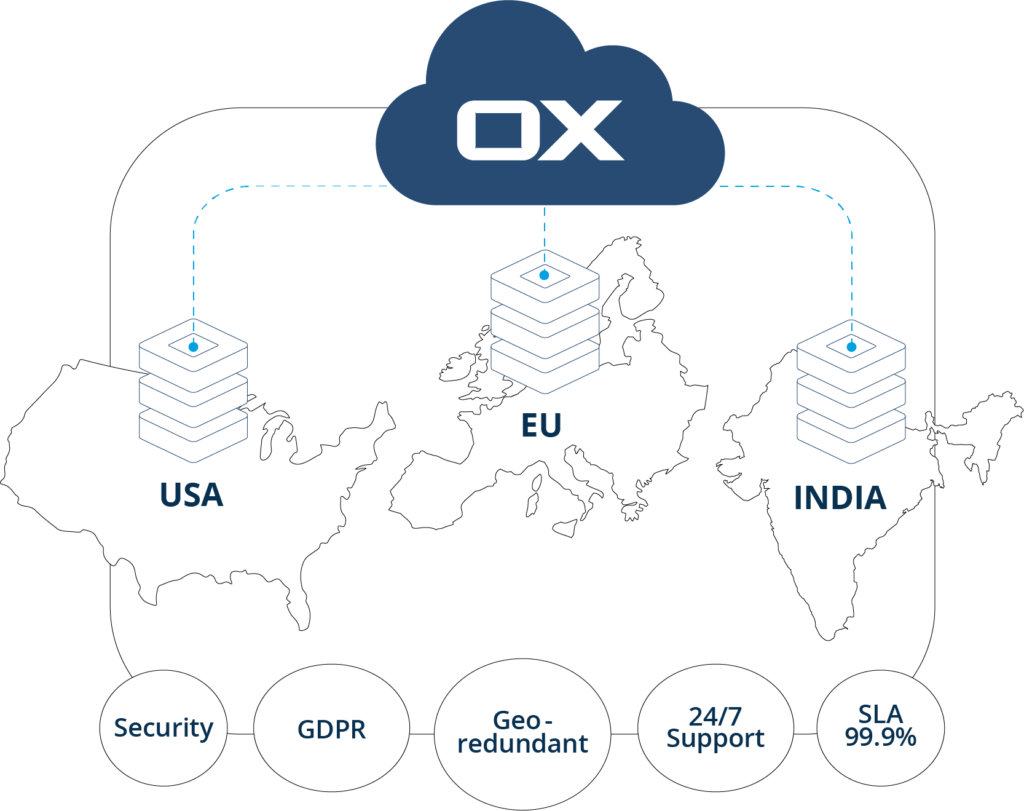
Reliable Global Data Centers
Hosted in data centers located in the EU, USA, and India. Reliability backed by:
- Strict SLAs.
- Professional support.
- Architecture and software maintained by experts.
- Superior product and platform security.
- Geo-redundant.
- Robustly architected infrastructure.
Built to Please Your Customers
Acceptance and Satisfaction Based on Experience
- 15 years+ working with top email providers serving over 220 million users.
- 15 years+ of development and customer feedback keeps our email products leading their markets.
- High acceptance from new and returning users.
- Simple and straightforward migration and on-boarding.
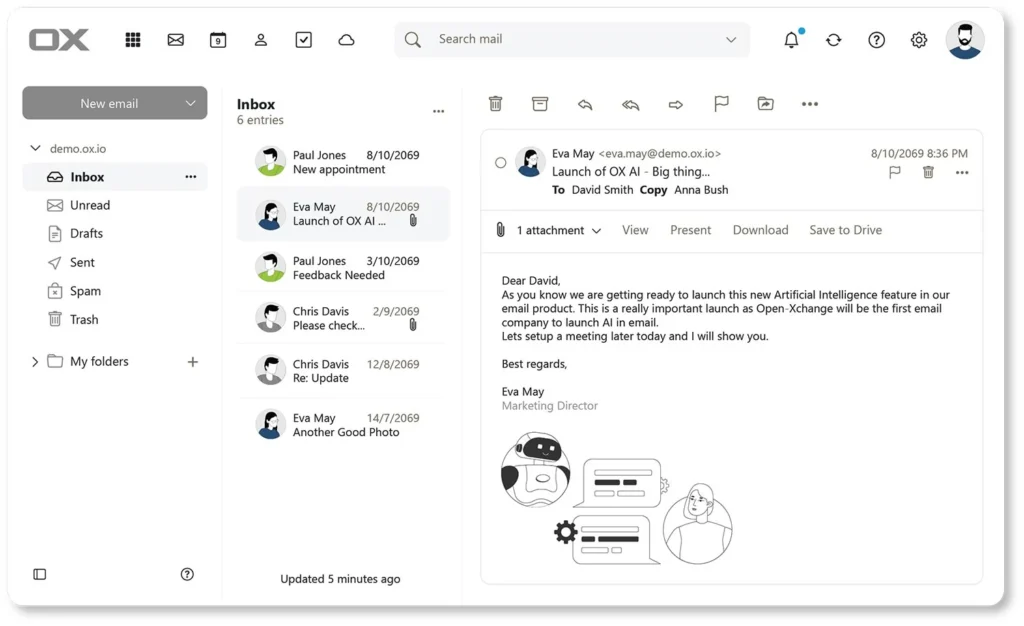
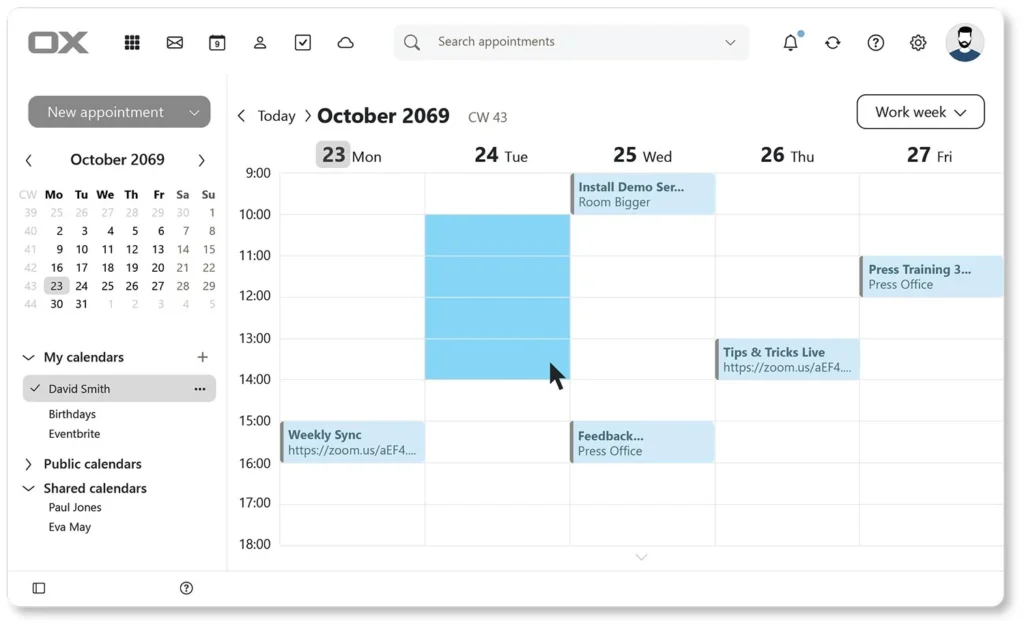
Built for Consumers and Business Users
- A constant flow of new and relevant features for an innovative and up-to-date email experience.
- All apps are fully integrated for a smooth and seamless user experience.
- Take email to a new level of usability with AI and contact mining.
- Provides a seamless experience across all devices: laptops, mobiles and tablets.
Email Features
Integrated Artificial Intelligence
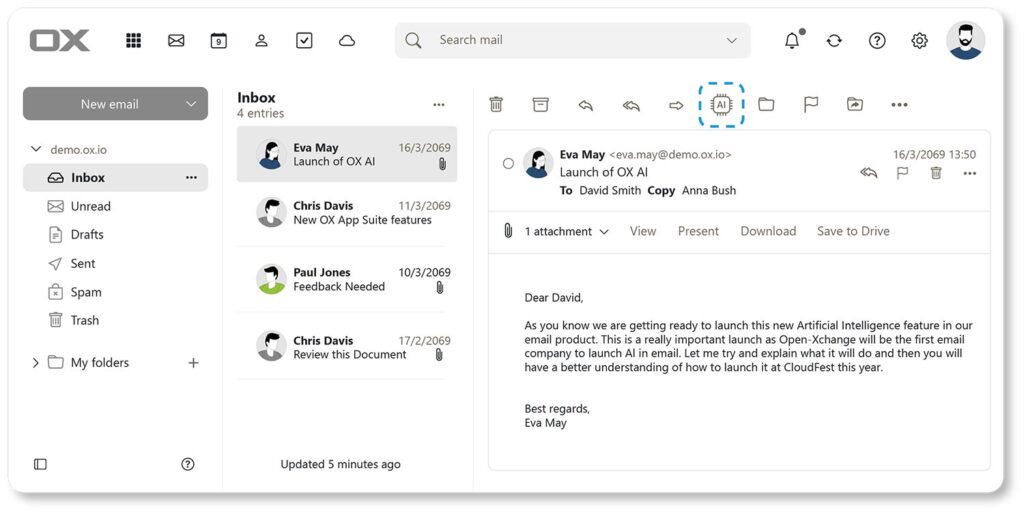
A whole variety of Artificial Intelligence (AI) features are completely integrated into OX Cloud:
- Summarize Email
- Generate a quick reply
- Generate an orchestrated reply
- Translate using AI
- Discuss email with AI
- AI Assistant window
- Choose your AI engine
Category Tabs
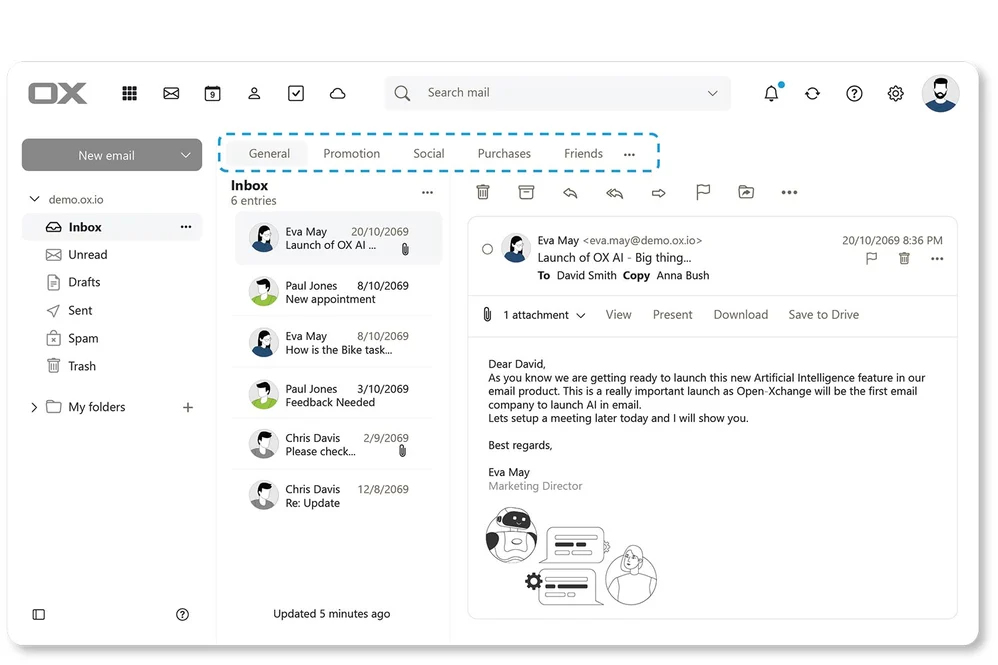
Organize your inbox into categories, automatically sort email into categories as they arrive. (e.g., Promotions, Social, Purchases etc.).
- Four standard and three customizable categories.
- Intelligent learning – learns as you use it.
- Streamlines the user workflow and keeps users focused.
Delayed Send
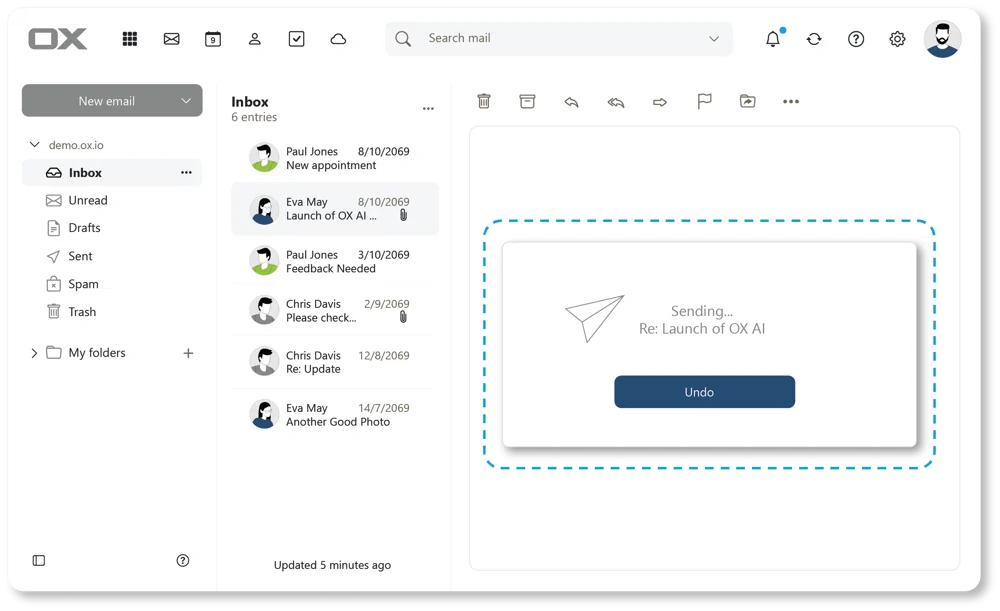
Did you ever hit “send” only to realize you made a mistake?
Now you have the opportunity to quickly retract the email before it’s sent.
- Customize delay time.
- Simple to use.
- Crucial feature when you need it.
Compose Sophisticated Emails with Ease
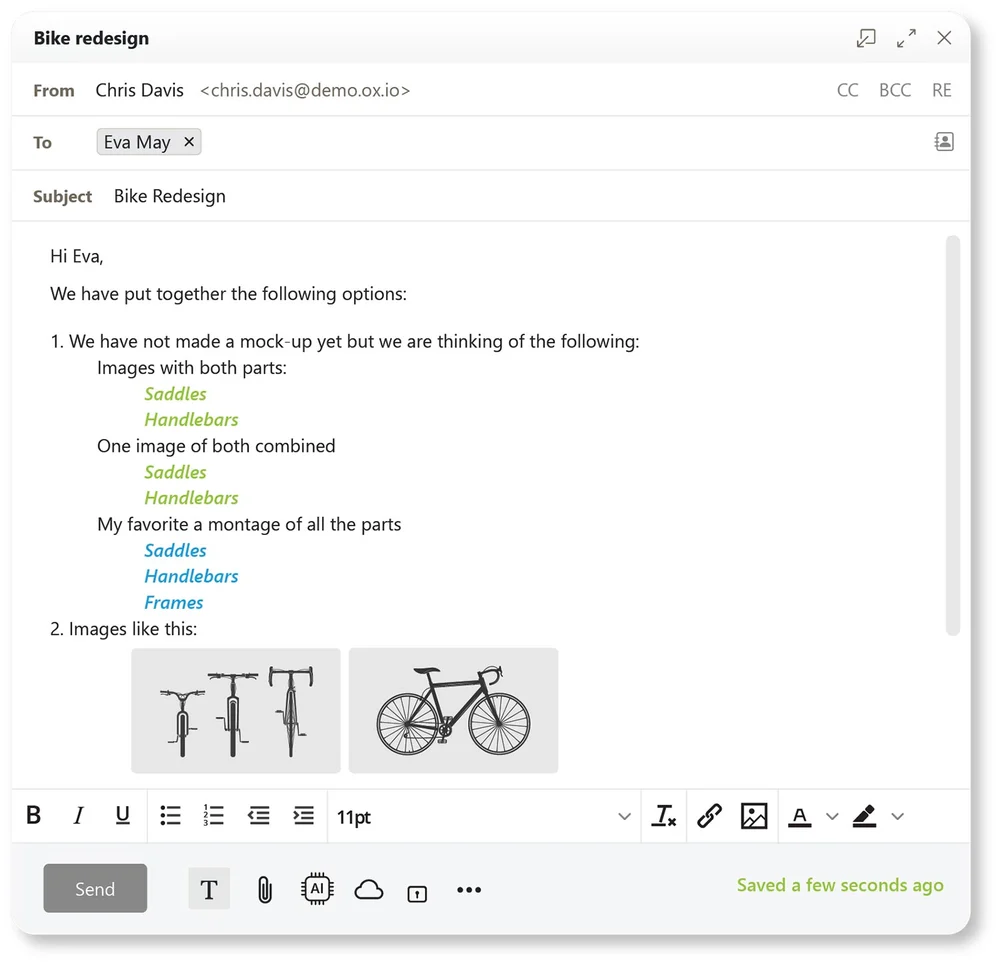
The email composing window provides a user-friendly interface, with integrated AI. This lets you to create elaborate and professional emails easily.
- Designed to optimize the editing User Experience.
- Drag and drop contacts between To, CC and BCC.
- Intelligent attachment reminder.
- Insert images inline or as attachment.
- Preview attachments.
- Background loading of attachments.
- Link text to URLs.
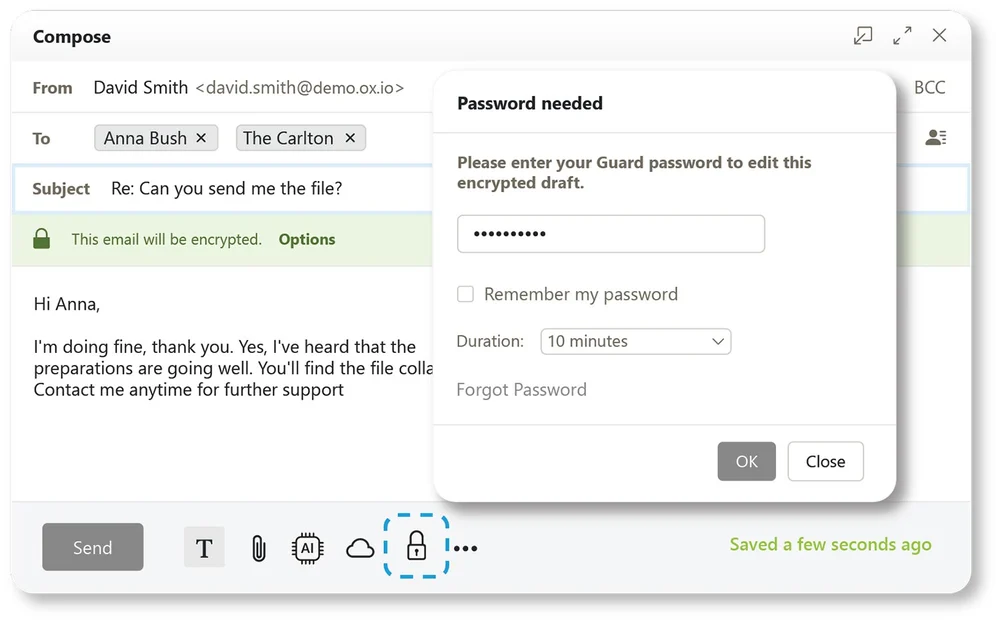
OX Guard – Email Encryption
Email encryption with some systems is complicated, restrictive and a real pain in the bottom.
OX Guard (in OX Cloud) lets you add super safe email encryption with a single click. It really is that simple.
- Simply the easiest email encryption system ever built – one-click and your email, and its attachments, are securely encrypted!
- Highly secure – email signing and advanced admin for expert users.
- PGP and S/MIME encryption supported.
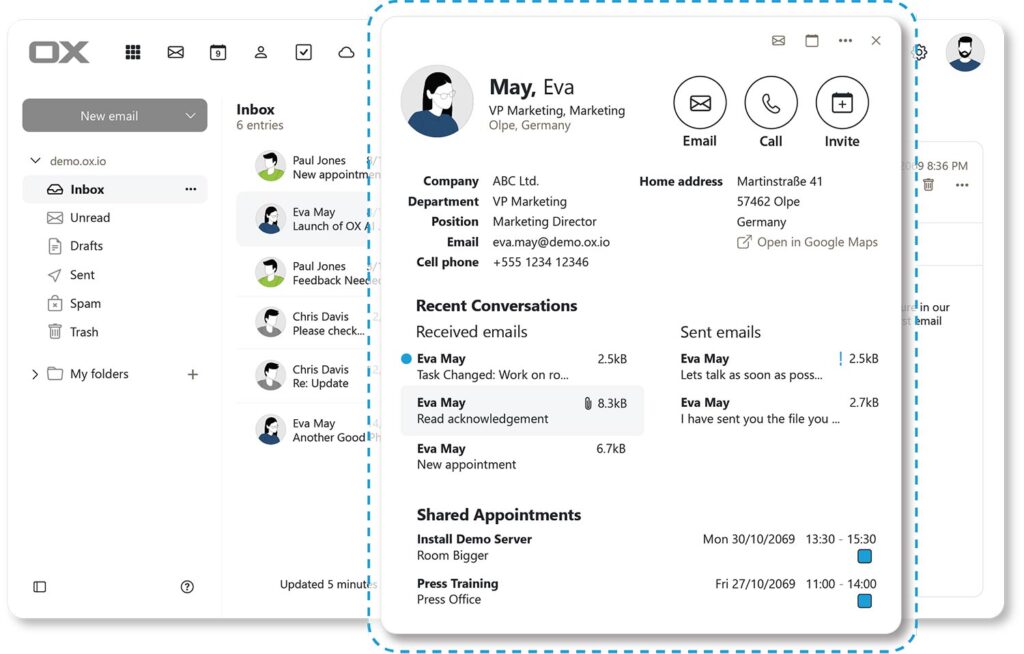
Halo View
Ever received an email and wondered who this was from?
With a single click Halo pops up a complete contact identification & history trace.
Halo shows you the user identity, all interactions you have had with them and even any appointments you have have jointly been on together. It is an instant contact database.
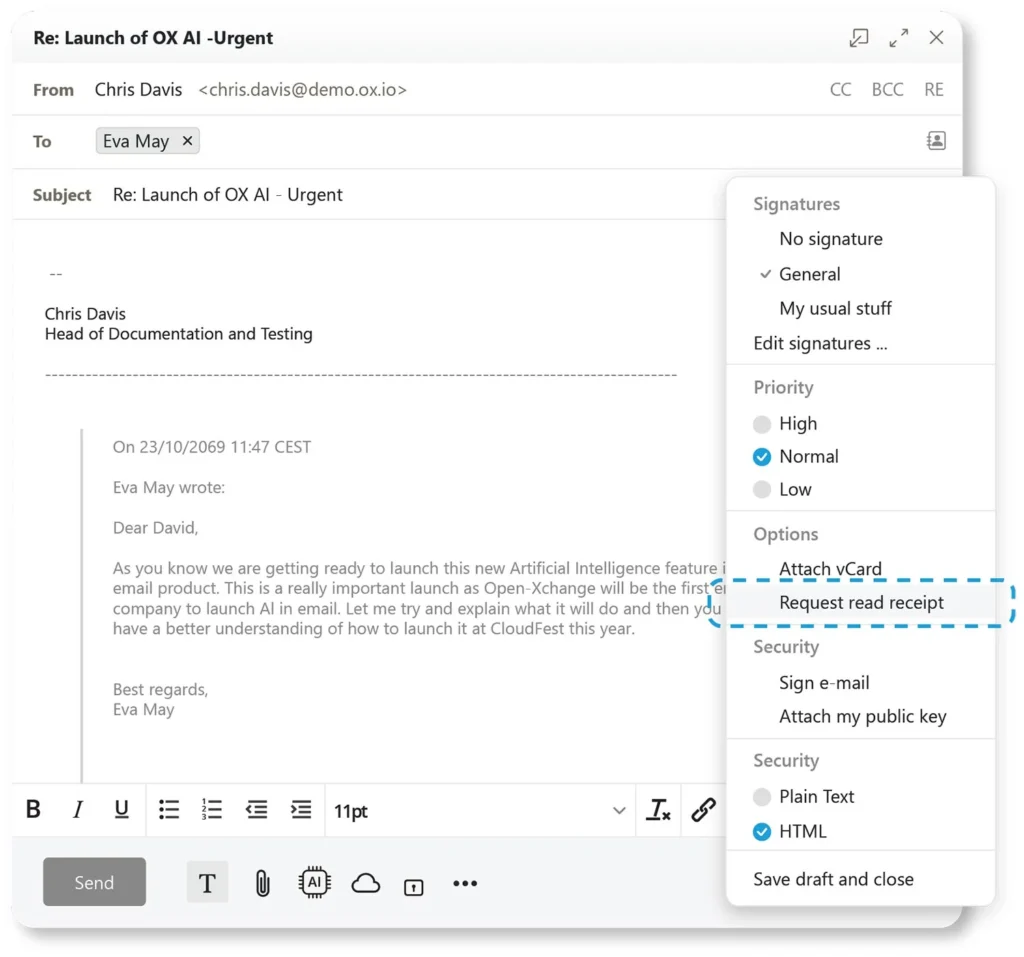
Read Receipts
Ever wonder if someone has received your email, or even more importantly “Read” your email?
With OX Cloud you can ask the receiving server to let you know when the recipient has actually opened your email.
Guess no more if you are being Ghosted.
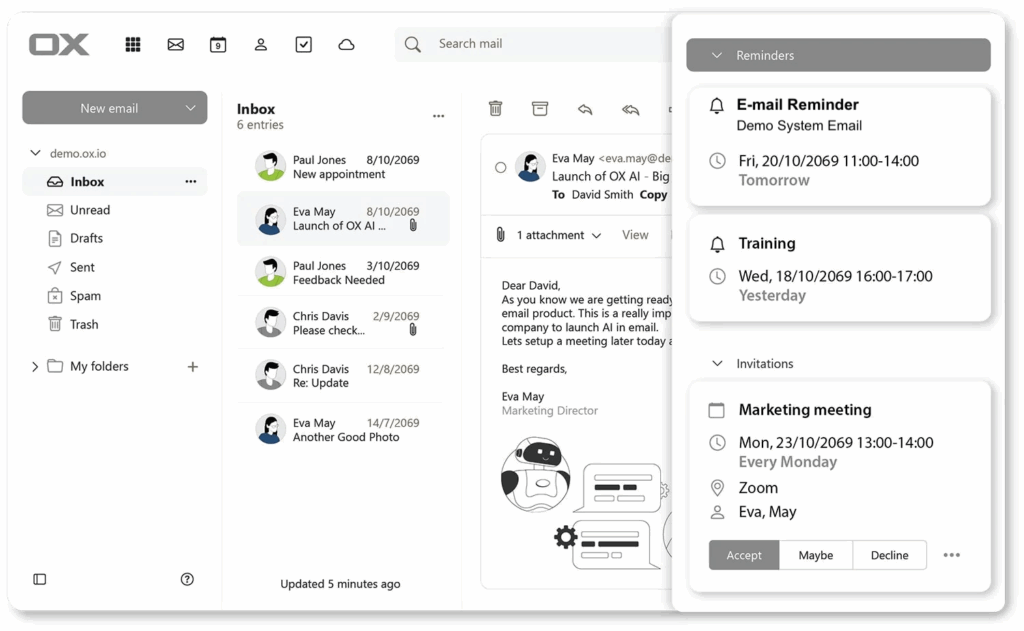
Email Reminders
Ever get an important email that you must followup on, but do not have time now?
With OX Cloud you can simply click the reminder option and set a reminder for yourself so you never forge.
- Simple to set a reminder
- Predefined or custom reminder periods
- Completely customizable.
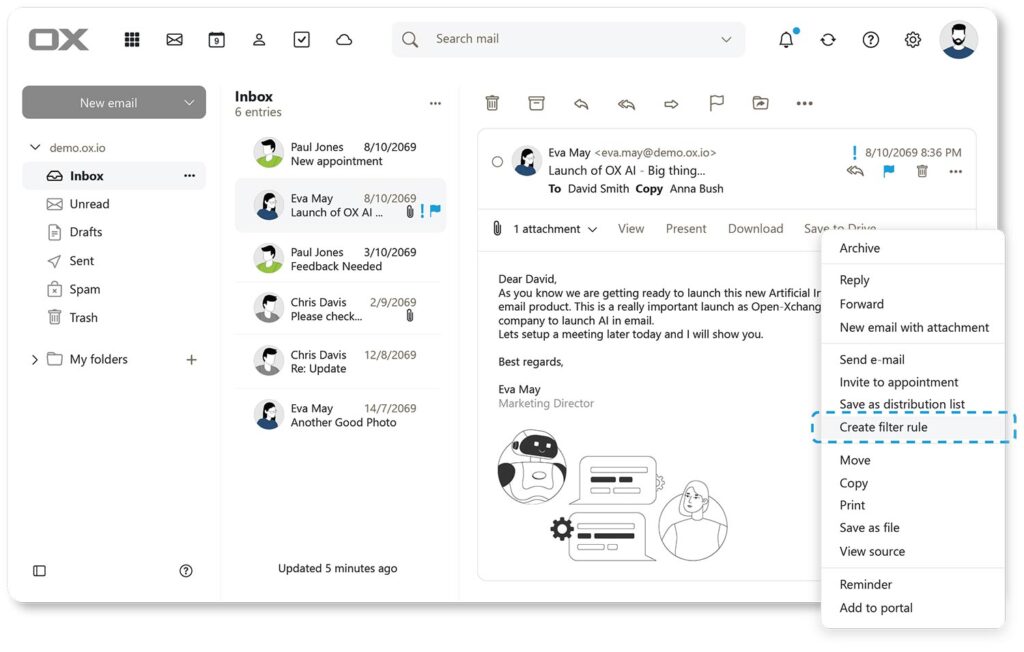
Easy Rules
Email rules save time and make you more efficient, but usually rules are hard to make.
OX Cloud makes Rule creation simple and yet complete.
Receive an email and OX Cloud will use it to create you a rule. Just tweak it and you are done.
Scheduled Send
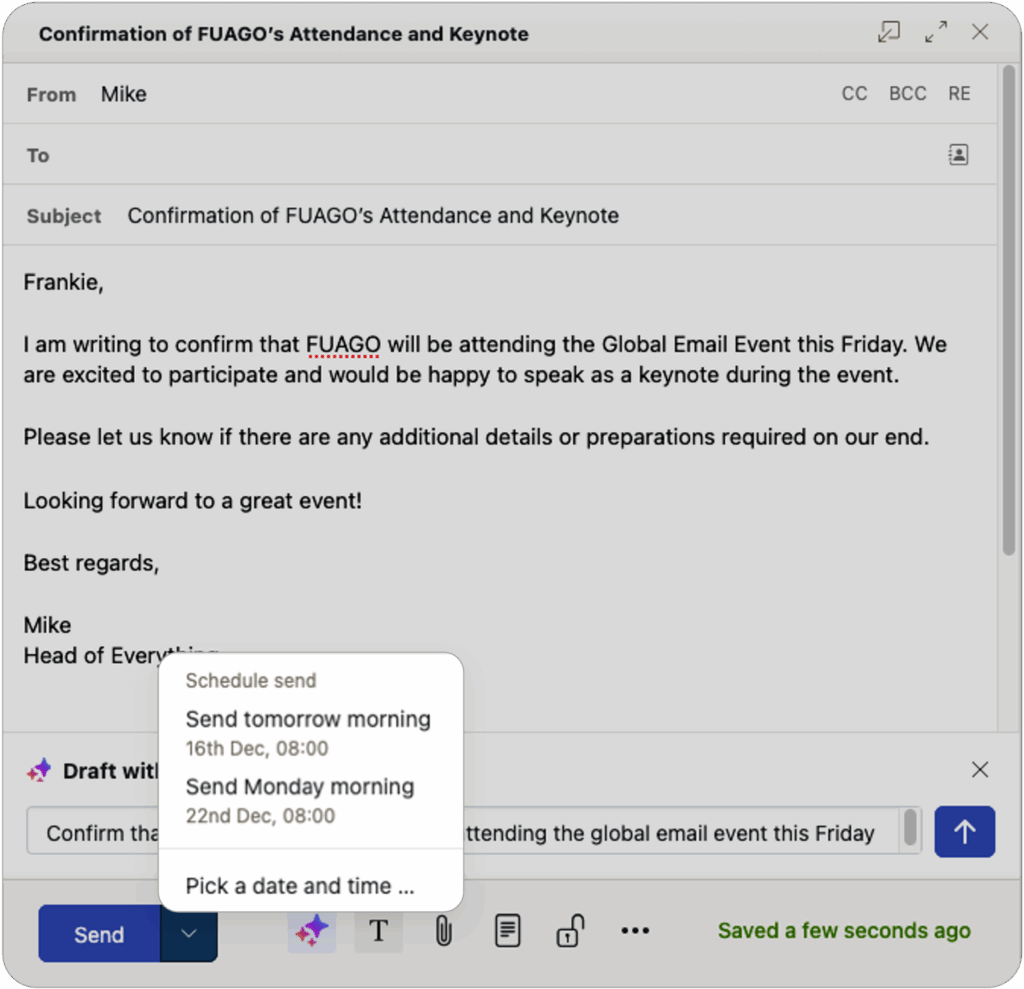
Sometimes you want to write the email, but you do not want to send it at that moment.
OX Cloud gives you the ability to schedule the time that an email is actually sent.
- Create the email
- Press the drop down on the Send button
- Either select a predefined time or pick your own date and time
You can always check, change or delete when emails are schedules to go by going to the Schedule folder.
Inbox Security Features
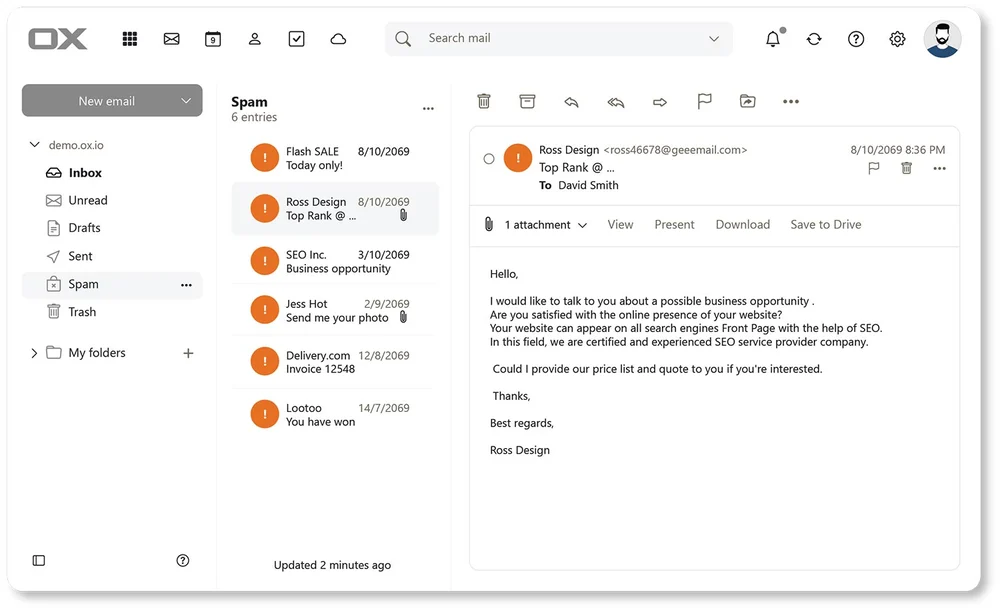
Checks all email for:
- Spam – All identified Spam is moved to your Spam Folder
- Phishing – All identified Phishing email are identified and neutralized
- Malware – All identified Malware email are identified and neutralized.
Security system receives over 10,000 updates per minute!
Email Signatures
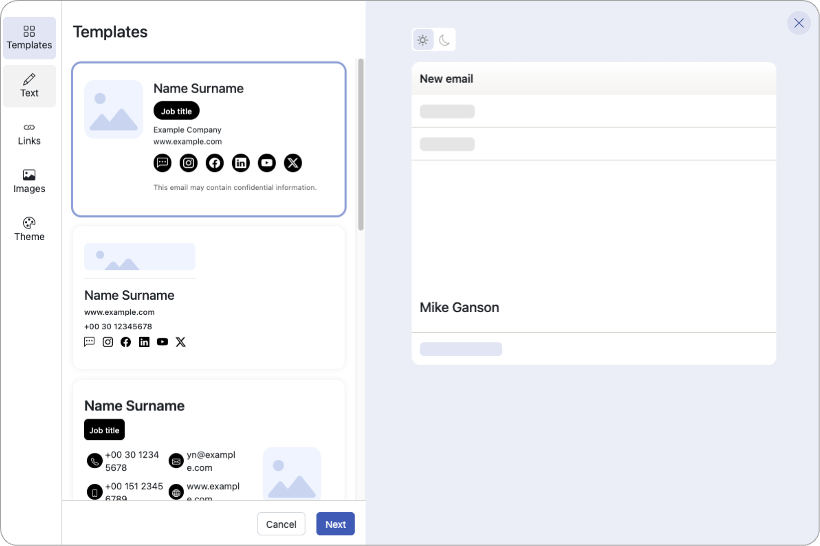
A well-designed email signature plays a significant role in how you and your company are perceived.
It helps build trust with recipients, reinforces the legitimacy of your communication, especially for first-time contacts. It can even reduce the likelihood of your emails being marked as spam.
OX Cloud features a built-in professional email signature builder, allowing you to create the perfect signature in less than a minute.
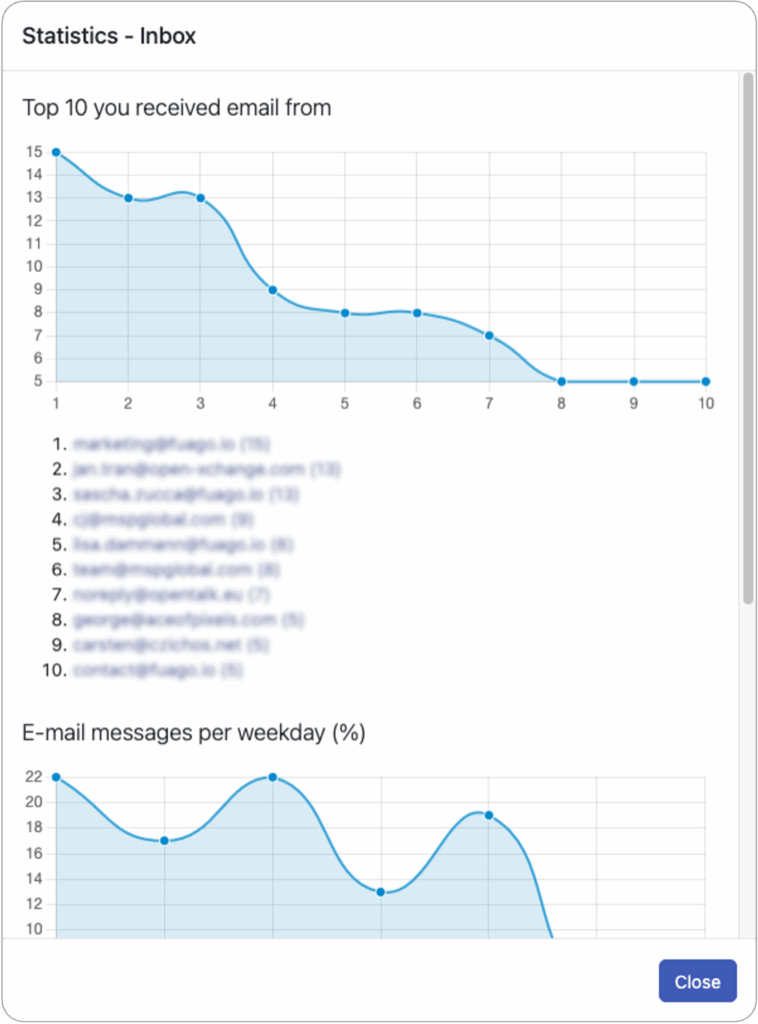
Email Statistics
Sometimes it is just interesting to see your email statistics. OX Cloud gives you access to a few statistics that might open your eyes to some of your habits:
- Who writes to you most?
- When during the week do you receive messages the most?
- What time of day do you receive emails the most
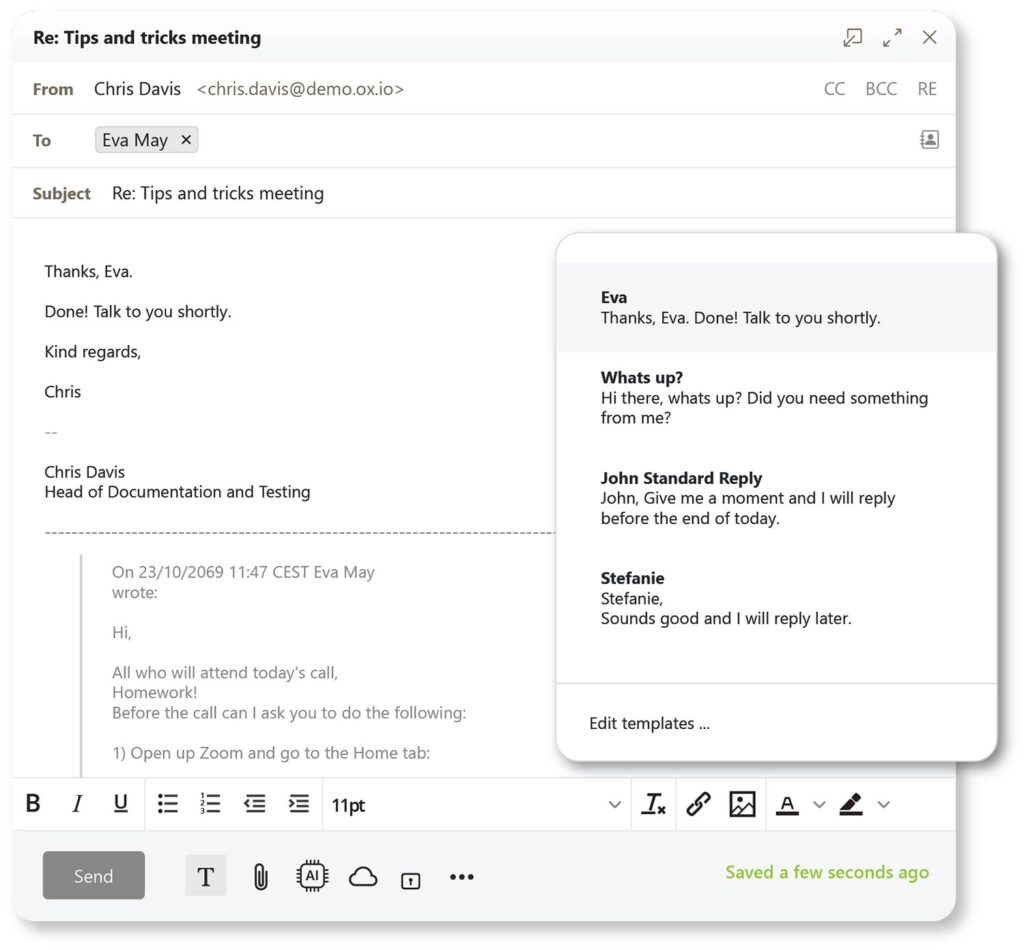
Email Templates
Do you ever get fed up with replying to emails with almost the same reply every time? No more.
OX Cloud lets you create email templates. A standard reply that you select with a single click. You then tweak the reply and press send.
This can significantly improve your email life.
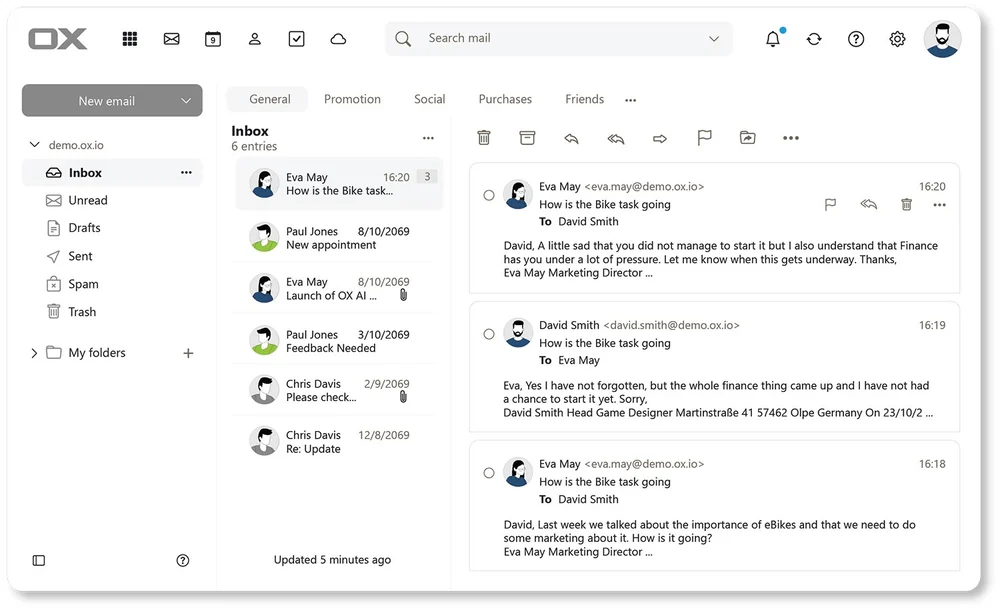
Email Threads
Never miss an email in an email conversation exchange. Use the Tread/Conversation feature to group all related emails together.
- Activate or deactivate at the push of a button.
- Last email shown, others shown as required.
- Optimized user workflow.
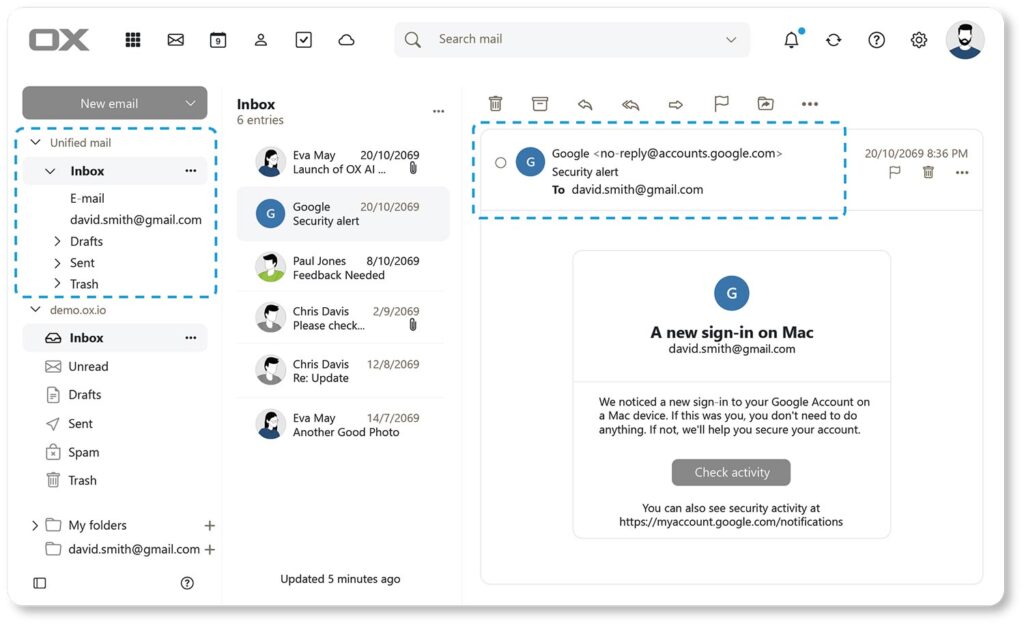
Unified Inbox
OX Cloud is not just for one email account. You can easily add your work, your personal and your social email accounts into OX Cloud. It will then give you a single user interface and overview of everything.
From separate trees to one unified view for any selects email account.
If y9ou reply it replies from the correct email account and even uses the correct email signature.
Make your life so much simpler and efficient.
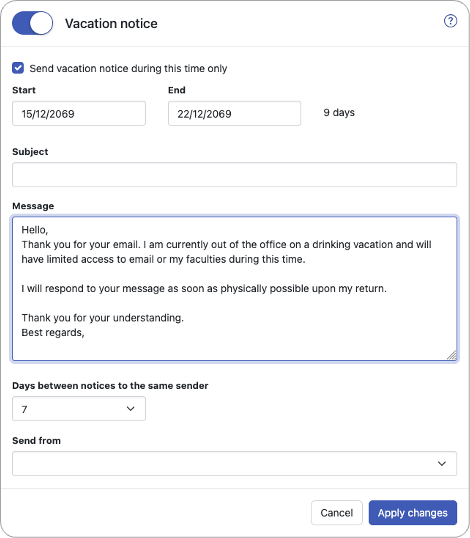
Vacation Notices – OoO
Vacation notices are not new, but OX Cloud has added some extremely handy features:
- Days between notices – This reduces spamming others
- Send from – This lets others reply to the OoO and your delegate will receive the reply
- OoO Banner – There is a very useful banner in your Inbox reminding you that your OoO is on
Calendar Features
General Benefits
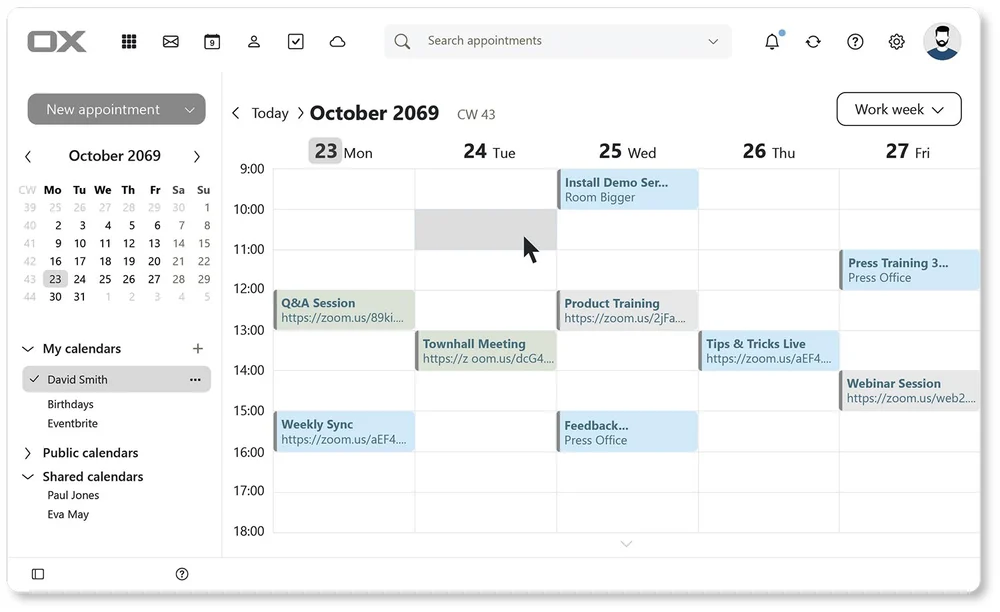
- Packed with business features making it the most powerful tool for managing your schedule.
- Confidently manage complex meeting schedules with built-in time zone management.
- Create and share calendars to make business scheduling transparent for everyone involved.
- Unmatched notifications, reminders, and scheduling features.
- Switch between views that best meets your requirements: List, Day, Working Week, Week, Month, or Year.
Time Zones
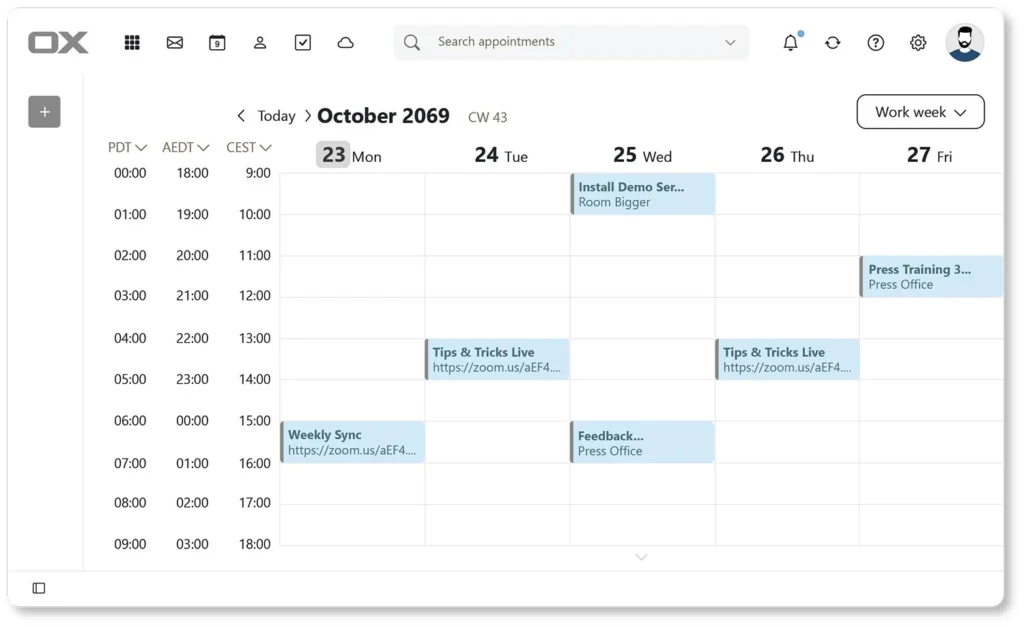
Managing meetings with people in different time zones is never simple, but OX Cloud gives you the edge.
Simply add the times zones you are interested in and you can instantly see if your meetings are schedules in the most convenient way for everyone.
Meeting Reminders
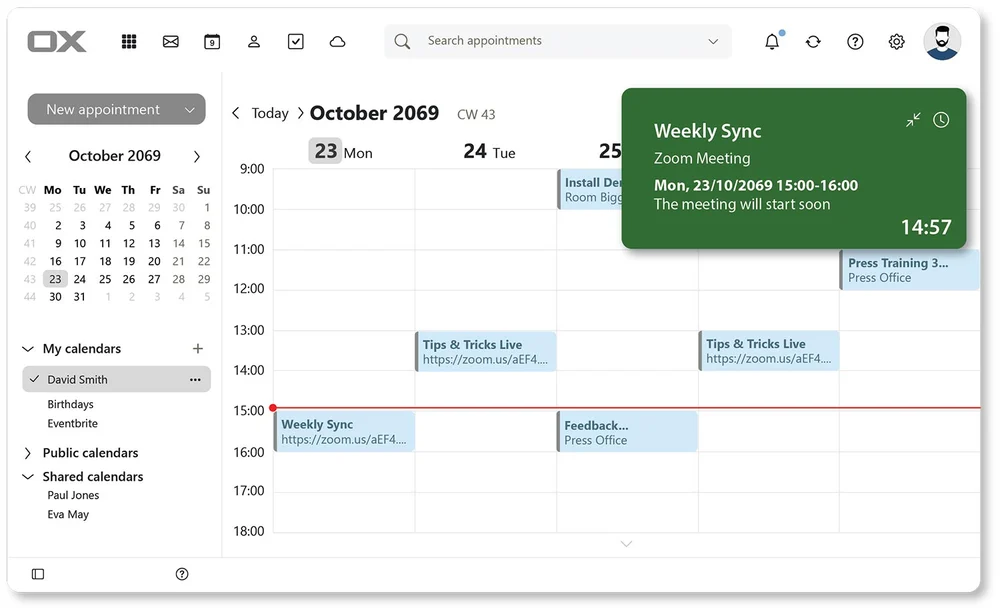
Never miss a meeting again. Reminders pop up before your meeting, turn yellow as you get closer, and then go red if you are late.
- Color coded:
- Green – soon
- Yellow – join now
- Red – you are late
- Customize notification period
- Countdown timer for extra encouragement.
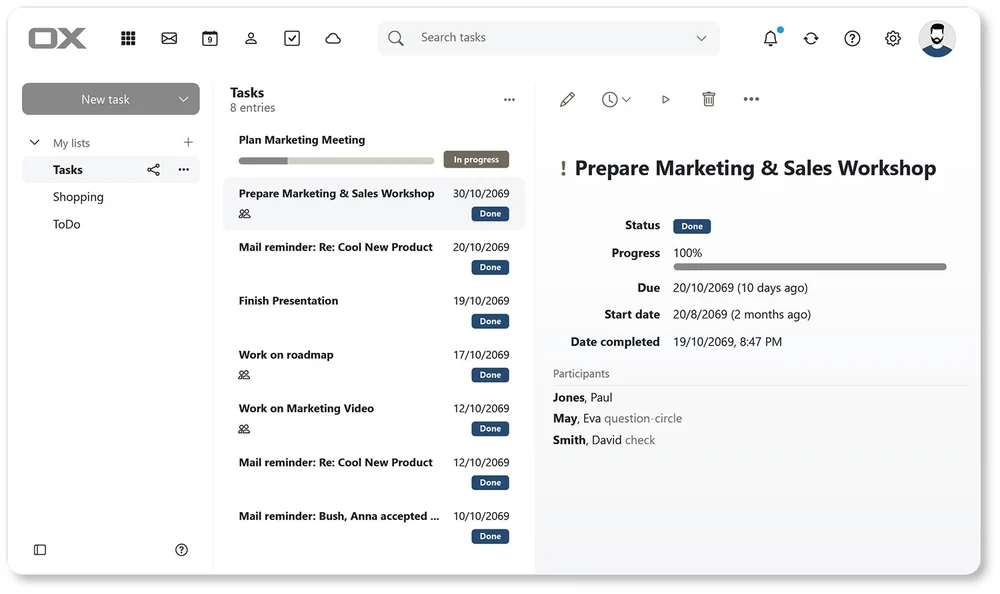
OX Tasks
Tasks a simple things that when used well can change the way you work.
- Create simple To Do lists.
- Create and share and more complex tasks.
- Synchronize tasks with all your devices (e.g. full support for Apple Reminders).
- Monitor progress and assign tasks to others.
Cloud Storage Features – OX Drive
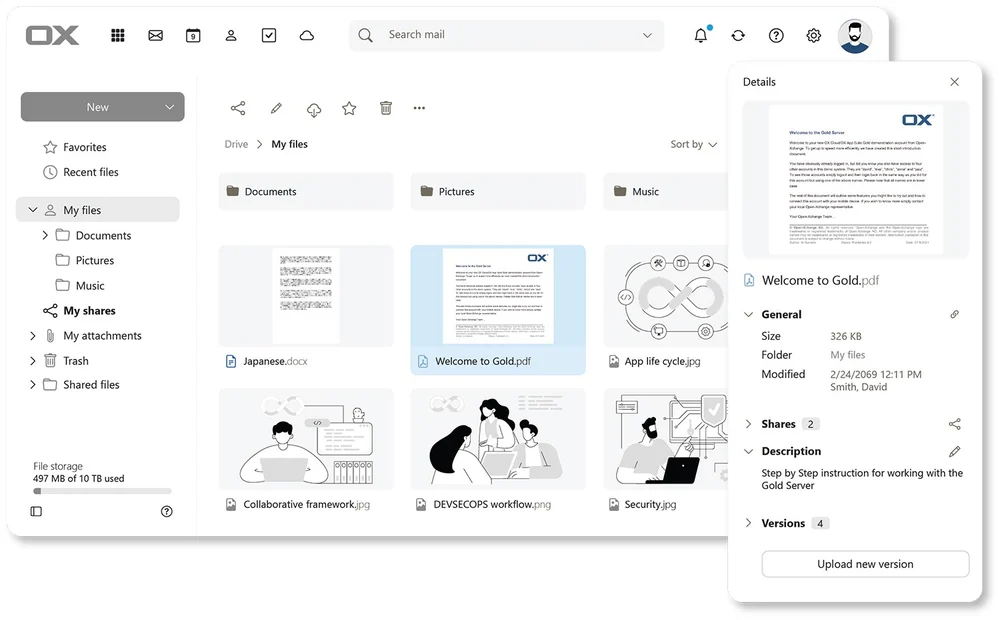
OX Drive – Storage
A complete and easy to use online cloud storage solution
- Drag and drop files easily into OX Drive.
- Previews, thumbnails, and full email integration.
- Drive Mail – send links to attachments instead of the whole file.
- Automatic version control.
- Unified cloud storage – integrate other storage solutions (Drobox, Google, Microsoft etc.).
- All email attachments are automatically stored in OX Drive.
Document Editing Online
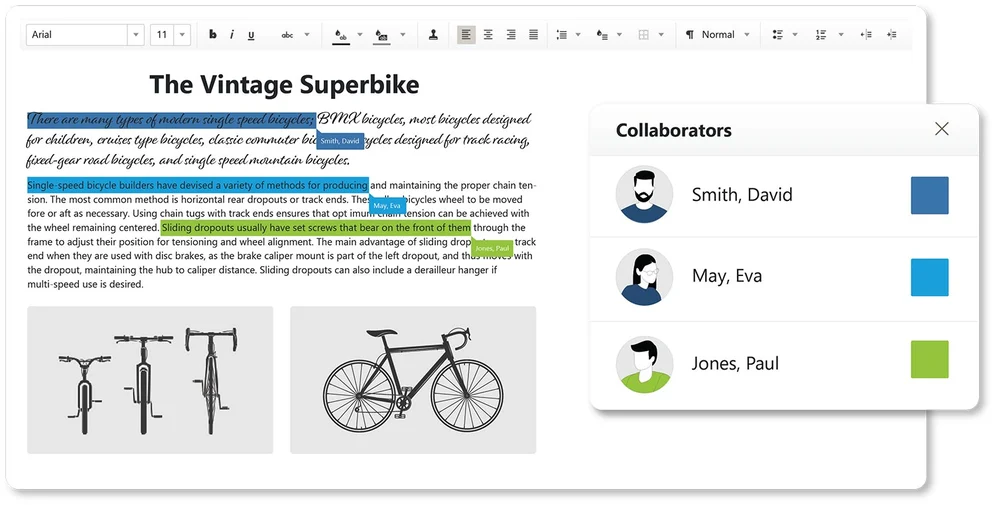
- No need to download files to edit or preview them – document editors built-in.
- Attachments can be quickly edited online.
- Support for text documents, spreadsheets and even presentations.
- Quickly collaborate with others and work simultaneously on the same document.
- Fully compatible with Libra Office and MS Office.
The OX Cloud Platform
Dark Mode and Themes

Personalize your email UI with different colors and backgrounds or simply select the popular “Dark Mode” theme.
- Wide variety of these to choose from.
- Create custom themes.
- Auto Dark Mode that synchronizes with your device.
Works Anywhere and On Any Device
Designed to work on any device: PC/Mac, Laptop, Tablet, Phone, Windows, MacOS, IOS and Android.
- Responsive features adapt the UI to the relevant device.
- Mobile specific designs for better optimization on mobile devices.
- Desktop application mode for a better desktop experience.
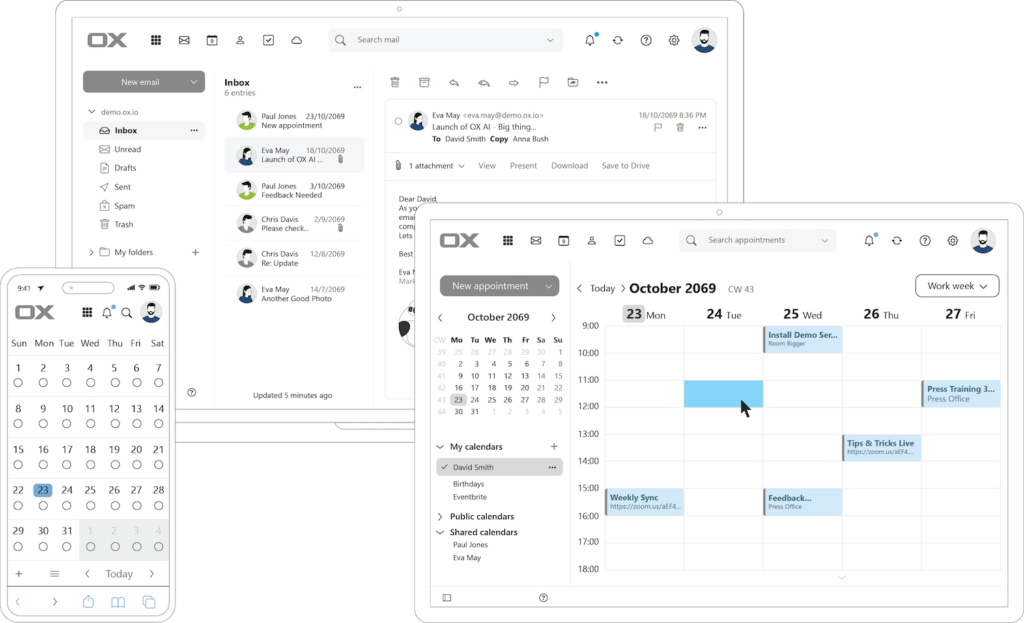
Desktop, Tablet, Mobile
OX Cloud can be run within a browser or installed as a dedicated app on both mobile and desktop devices. This is all done without the need to install apps on your device!
OX Cloud uses a carefully constructed PWA system. This means that to install OX Cloud as an App you simply go to your device, open OX Cloud in your browser and hit the “Install as an App” banner. OX Cloud then appears on your home-screen.
- The User Interface is adapted specifically for the device it is installed on.
- The app comes with device specific performance improvements.
- There are no browser UI overheads, such as URL bars, back buttons etc.
- It is located and started the same way as all other device apps.
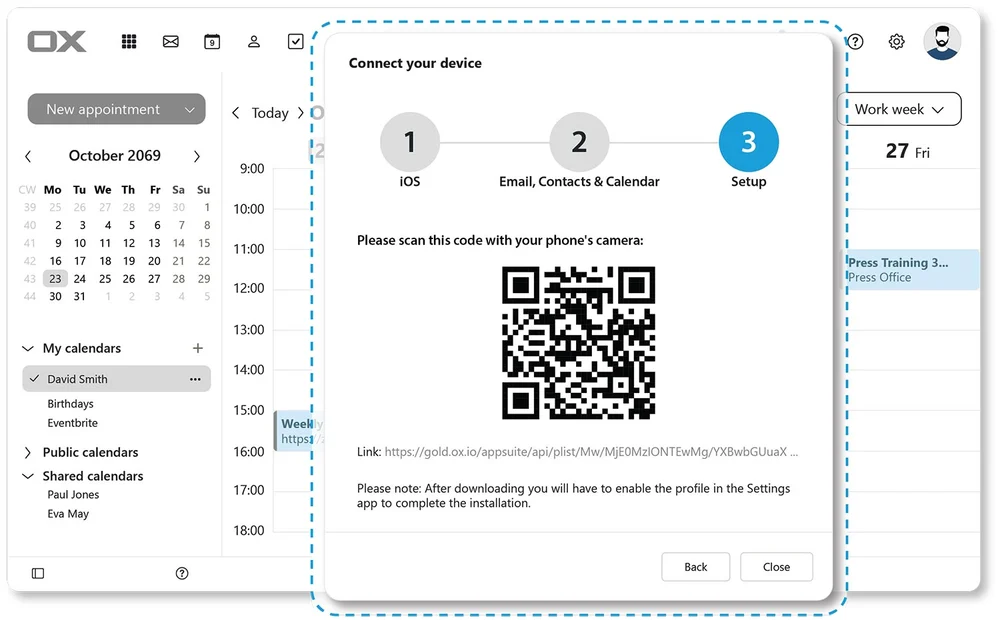
Connect your Device
Almost any device can be connected to OX Cloud and your account. This is done very simply from a browser and using the “Connect your Device” wizard.
Often it is just a matter of scanning a QR code, and your device is connected!
- Other options: download configuration files or manual settings information.
- Clear guidance for easy connection.
- Where possible QR codes are used.

Questions left?
Then get in contact with us!